
Upload a downloadable file
Attach the private file buyers receive after checkout, and understand what happens after it is uploaded.
If your product includes a file, this step is what turns checkout into delivery. The uploaded file stays private, and buyers receive controlled download access after checkout instead of a public file URL.
It is okay to skip this step while you are drafting, but do not launch a file-based product until the status clearly shows the file you want buyers to receive. Bundles do not upload a new bundle file here; they use the files already attached to the products you select for the bundle.
Before you start
- Prepare the exact file buyers should receive, preferably with a clean filename.
- If you are creating a bundle, finish the included products first. Each included product can contribute its own download and license key to the bundle delivery.
Add the buyer file
-
01
Read the current delivery status
The status panel tells you whether Zwely has a file ready for this product. If it says no file is uploaded, checkout can still exist, but the delivery email will not include a download button yet.

-
02
Drop or choose the buyer file
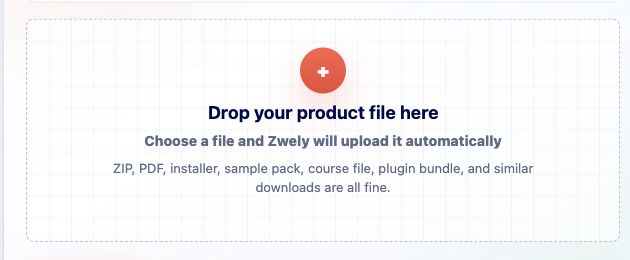
Drag the finished file into the upload area, or choose it from your computer. Zwely stores it privately and later creates signed download links for buyers who complete checkout.
-
03
For bundles, choose included products
When the product is a bundle, this part of the wizard becomes Products instead of File. Select two or more regular products. Zwely will include each selected product's download link and assigned license key after checkout. Bundles cannot contain other bundles.
-
04
Continue only when the state is right
Use Skip for now if you are still drafting. Use Continue when the uploaded file is the version buyers should actually receive. This little pause can save a lot of support email later.

-
05
Know what changes later
If you replace the file after launch, future deliveries use the newest upload. If the change is major, consider mentioning it in your product copy or support replies so existing buyers understand what changed.
Good to know
- Private download links expire and can have max download limits. Configure those settings under Account, then Emails.