
Connect Stripe for paid checkout
Connect Stripe when you are ready for paid checkout, payouts, and real card payments.
Stripe Connect is the bridge between Zwely checkout and your money. Zwely creates the checkout experience and order record; Stripe handles sensitive payment details, processing, and payouts.
You only need this for paid products. If you are setting up a free download first, you can keep moving and connect Stripe later.
Before you start
- You only need Stripe for paid products. Free products can launch without it.
- Use the Stripe account where you want payouts to arrive.
Connect payments safely
-
01
Open the Stripe connection step
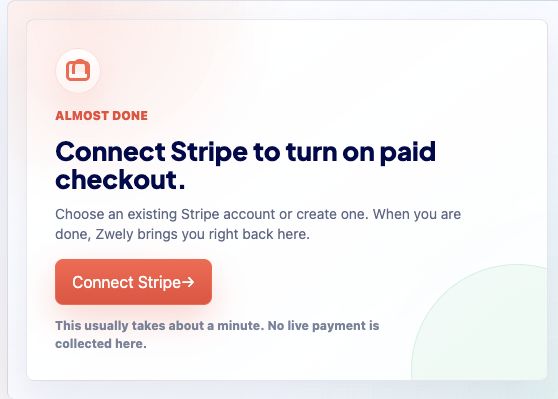
Paid products show a Stripe Connect card before launch. This is the handoff to Stripe, not a place where Zwely asks for bank details.
-
02
Choose Connect Stripe
Stripe opens its own secure onboarding flow. Complete the business, identity, and payout prompts there; Zwely does not store raw bank or card details.
-
03
Return to Zwely
After connection, Zwely can create checkout payments on your connected Stripe account. Your product is then ready to be embedded for real paid checkout.
-
04
Use Stripe for payout questions
Zwely records the sale and delivery context. Stripe controls payout timing, bank verification, disputes, and processor-level payment details.
Good to know
- Stripe processing fees are separate from Zwely's 5% pay-as-you-go fee on paid checkout sales.