
Create your first product
Create the product or bundle record that powers checkout links, embed buttons, delivery emails, license keys, analytics, and orders.
A Zwely product is more than a title and price. It is the place where the buyer-facing checkout link, embedded button, file delivery, license assignment, discounts, analytics, and order record all meet. A bundle works the same way from the buyer side, but it delivers the files and license keys from multiple existing products.
Do not worry about making the first version perfect. A clear title, a useful description, and the right delivery choice are enough to get moving. You can come back and polish the product after you see the full flow.
Before you start
- Know whether the product is paid or free.
- Know whether buyers should receive a file, a license key, both, or just access instructions.
- To create a bundle, create at least two regular products first. Bundles can include products, but not other bundles.
Build the first version
-
01
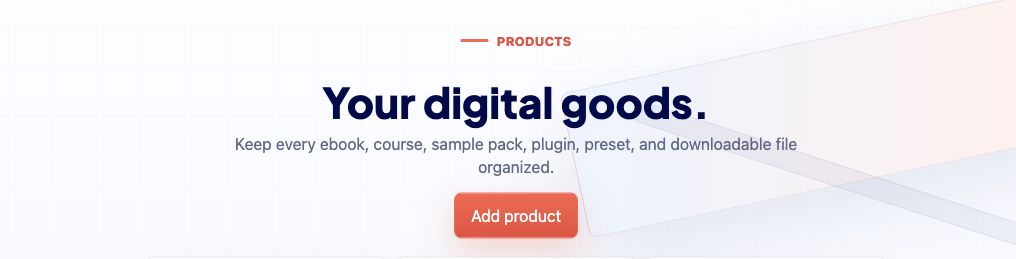
Open Products and choose Add product
The Products page is your product workspace. Use Add product to start a new checkout flow for one thing you sell, give away, or license.
-
02
Choose Product or Bundle
Choose Product for one item with its own delivery file, license keys, or access details. Choose Bundle when you want one checkout to deliver multiple existing products. Product type is locked after creation so analytics, delivery, and embeds stay predictable.
-
03
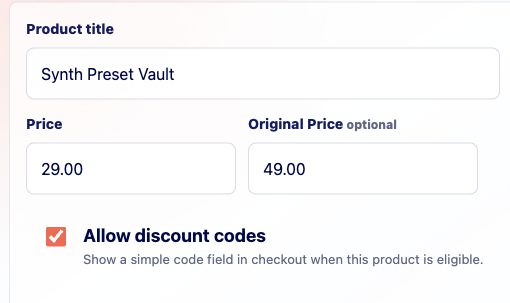
Write the buyer-facing basics
Add a title and description in plain language. Imagine the buyer is seeing this inside checkout after clicking from your website; the copy should reassure them they are in the right place. For bundles, name the collection clearly so buyers understand they are getting more than one product.
-
04
Continue through the wizard
The wizard walks regular products through price, file delivery, license keys, checkout styling, Stripe connection, hosted links, and embed code. Bundles replace the file step with a Products step where you choose the included products. Take it one screen at a time.
Good to know
- You can return to a product later from Products if you need to replace a file, add keys, or change checkout styling.
- A bundle is sold and tracked as its own product, but its downloads and license keys come from the products inside it.