
Create API keys and validation tokens
Create secure credentials for server integrations and product-scoped software license checks.
API credentials are powerful, so Zwely separates them by use case. Account API keys are for trusted servers that need to read or write account resources. License validation tokens are narrower and tied to a single product.
New credentials are shown once. After that, Zwely stores only secure hashes and display fingerprints, which means you should copy the raw value into a secret manager or environment variable immediately.
Before you start
- Know which system needs access and what it needs to do.
- Never embed account API keys in public websites, mobile apps, or shipped software.
Create credentials safely
-
01
Start from the credential overview
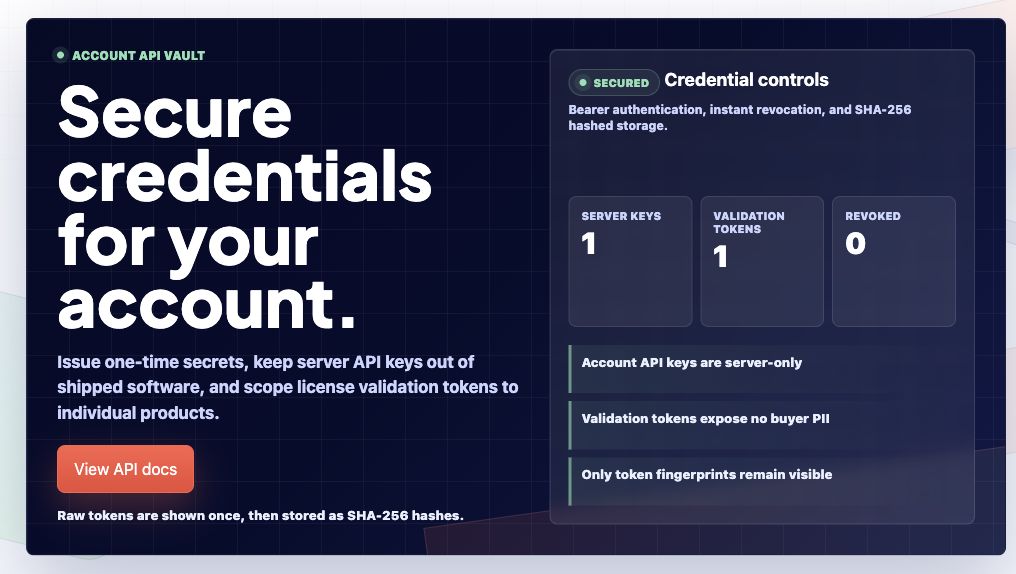
The API Keys page is intentionally split by risk: account API keys are powerful server credentials, while validation tokens are product-scoped.
-
02
Create the right credential type
Use zwy_ account keys for trusted server integrations. Use zvl_ validation tokens when software needs to validate a license for one product.
-
03
Copy the raw value immediately
Zwely shows the raw key or token once and stores only a secure hash afterward. Put it in a secret manager or server environment variable right away.
-
04
Revoke anything you do not need
Revoked credentials stop working immediately. Revoke keys when a server changes, a contractor leaves, an integration is retired, or a token might have leaked.
-
05
Open the API reference for code
The API docs include endpoint examples, request fields, response fields, JSON examples, and rate limits. Use them when you are ready to wire the credential into code.
Good to know
- Account API keys can read and write supported resources. Validation tokens can only validate license keys for their product.