
Export your account data
Download a private snapshot of your Zwely data for reporting, accounting, backup, or review.
Exports are helpful when you need to work outside Zwely: reconcile orders, review customer lists, hand data to an accountant, or keep an offline backup.
Because exports can include customer and order information, treat the downloaded files like private business records.
Before you start
- Treat exports as private because they can include customer and order information.
Download the right data
-
01
Choose the dataset you need
Pick the type of data that matches the job: orders for accounting, customers for support, products for catalog review, or discounts for campaign cleanup.

-
02
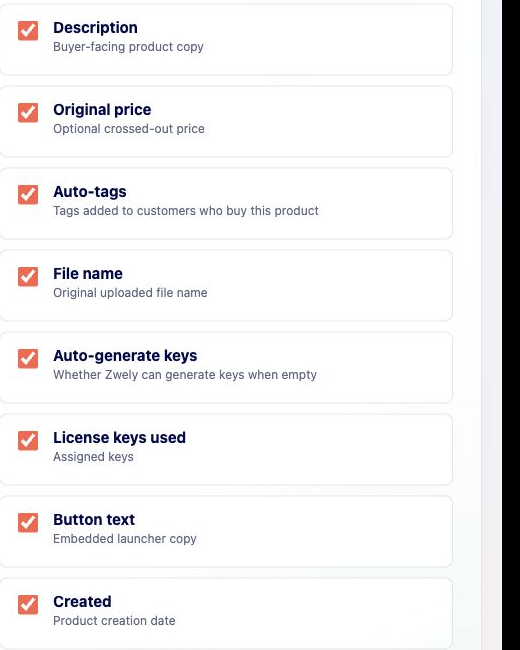
Review what the export contains
Use the page descriptions to understand which columns and records will be included before downloading. This helps avoid sending a larger file than someone actually needs.
-
03
Store the file safely
Exports can contain buyer emails and order data. Keep them in the same secure places you would keep accounting, support, or customer files.
-
04
Use the API for ongoing syncs
If another system needs fresh data repeatedly, create an API key and build an integration rather than downloading exports manually over and over.
Good to know
- Exports are snapshots. They do not update after download.